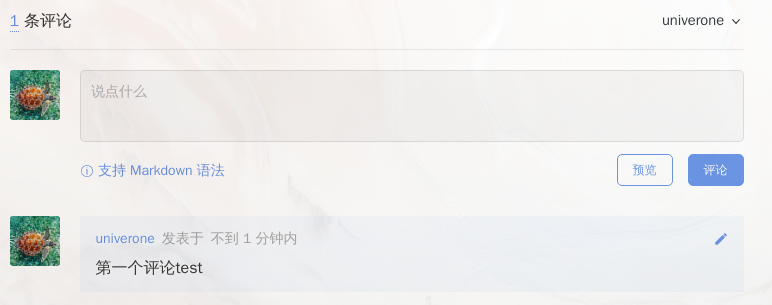
又到了闲着没事美化博客的时间啦,之前一直用的评论系统是hugo默认的disqus,虽然还没有收到一个评论,偶尔看到别人的博客有用git talk做评论的,也想尝试一下(或许也可以试一下来必力呢)
1.申请GitHub Application#
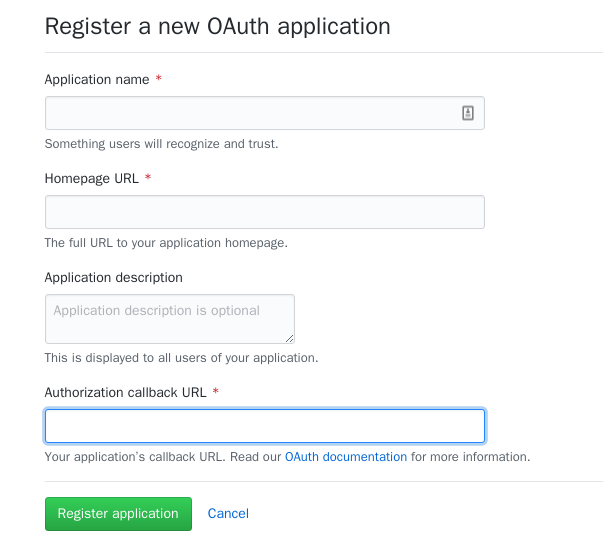
在此网站 上申请GitHub Application,其中Authorization callback URL填写自己博客的域名
申请页面
2.修改hugo模板#
2.1 引入css以及javascript文件#
在base of中引入需要的css以及javascript文件
1
2
< link rel = "stylesheet" href = "https://cdn.jsdelivr.net/npm/gitalk@1/dist/gitalk.css" >
< script src = "https://cdn.jsdelivr.net/npm/gitalk@1/dist/gitalk.min.js" ></ script >
在模板中的partials添加comment.html
 1
 2
 3
 4
 5
 6
 7
 8
 9
10
11
12
13
14
15
< div id = "gitalk-container" style = "border:0" ></ div >
< script >
var gitalk = new Gitalk ({
clientID : '{{ .Site.Params.Gitalk.clientID }}' ,
clientSecret : '{{ .Site.Params.Gitalk.clientSecret }}' ,
repo : '{{ .Site.Params.Gitalk.repo }}' ,
owner : '{{ .Site.Params.Gitalk.owner }}' ,
admin : [ '{{ .Site.Params.Gitalk.owner }}' ],
id : {{ . Title }}, // Ensure uniqueness and length less than 50
distractionFreeMode : false // Facebook-like distraction free mode
createIssueManually : '{{ .Site.Params.Gitalk.createIssueManually }}'
})
gitalk . render ( 'gitalk-container' )
</ script >
其中相关信息替换成github帐号的真实信息
clientID、clientSecret填写上面申请的github application信息
repo、owner、admin写自己准备把评论放在的仓库名
id为页面唯一标识
2.3 修改single.html#
将
1
2
3
4
5
< section >
{{ if (default true .Params.comments) }}
{{ template "_internal/disqus.html" . }}
{{ end }}
</ section >
替换成
1
2
3
4
5
< section >
{{ if (default true .Params.comments) }}
{{ partial "comment.html" . }}
{{ end }}
</ section >
2.4 修改config.yaml#
根据comment.html的内容更改相关参数
1
2
3
4
5
6
7
[Params.Gitalk]
    clientID = "" # Your client ID
    clientSecret = "" # Your client secret
    repo = "" # The repo to store comments
    owner = "" # Your GitHub ID
    admin= "" # Required. Github repository owner and collaborators. (Users who having write access to this repository)
    createIssueManually= false # If it is 'false', it is auto to make a Github issue
这样就可以了
https://github.com/gitalk/gitalk/ 为 Hugo 添加谈笑风生区 (Gitalk) https://mogeko.me/2018/024/